
Online Safety
At Pembroke Park Primary we believe in giving our pupils the confidence and skills to use technology safely, responsibly and respectfully. Our Online Safety page brings together advice, guidance and useful resources for pupils, parents, and carers so we can all work together to keep children safe online.
Online safety is taught across the curriculum and is an essential part of our computing programme. Pupils learn how to keep personal information private, recognise risky content and know what to do if they see or experience something worrying online.
1. What We Teach — Online Safety in Computing & PSHE
-
Pupils learn how to use technology safely, responsibly and respectfully.
-
They learn to protect personal information, use secure passwords, recognise risky behaviour, and know where and how to get help.
-
As children grow older, the content evolves to match the risks they may face (privacy, social media, cyberbullying, inappropriate content, etc.).
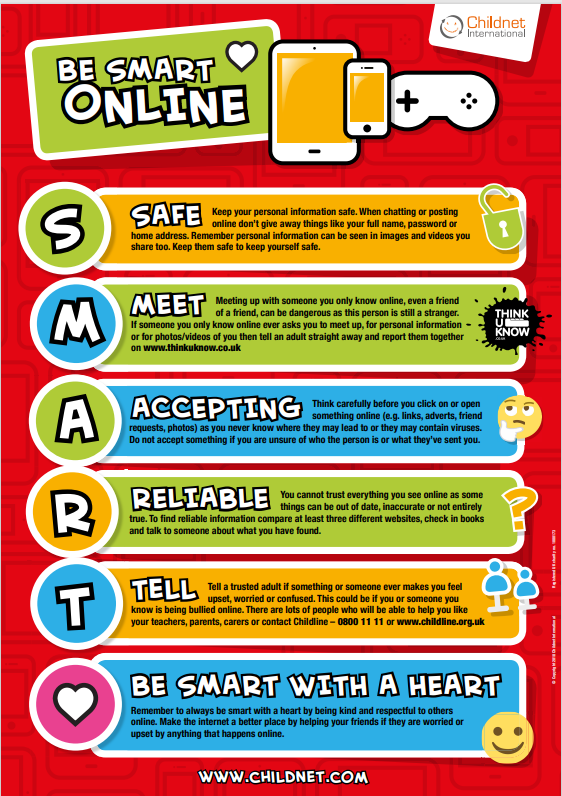
2. Top Online Safety Rules & Advice (for Pupils)
-
Never share personal information (full name, address, phone, school name) with people they don’t know.
-
Always ask an adult before filling in online forms or sharing pictures.
-
Only use computers or devices when an adult is nearby (or when appropriate).
-
Never give your password to anyone except your parent / guardian.
-
If something online makes you feel upset, uncomfortable or worried — tell a trusted adult right away.
4. Resources for Parents and Carers
-
NSPCC — advice on talking about online safety, parental controls, managing online wellbeing and dealing with online abuse.
-
Childnet / UK Safer Internet Centre — free downloadable posters and guides for young children, primary-aged children, and older children.
-
Internet Matters — wide range of guides on age-appropriate internet use, parental controls, games, social media, and online harms advice.
-